
The following changes will be released on December 9, 2025 at 9:30 PM.
Fixes
- Updated logic on campaign creation to only show custom data points available for the selected contact lists.
Features
A/B Testing
- Added the ability to set up an A/B test campaign. Please review the A/B test quick guide for step by step instructions.
Custom Data Points
- Users (Staff Manager role only) now have access to the ‘Data Points’ page under the ‘Settings’ tab. This page will display all of your custom data points, either created from contact list upload or via the ‘Data Points’ page record creation.
- PLEASE NOTE: Following this release, you will need to re-upload your existing contact lists to ensure all of your current custom data points appear correctly during campaign creation. You will not need to update any personalization settings — those already exist and will remain intact.
- Create New Custom Data Points via Contact List Upload (Option 1) :
- Include any new custom data points on the contact list upload.
- Once uploaded, navigate to the ‘Data Points’ page and open the details screen on the new custom data point.
- Check the ‘Personalized’ checkbox and include the default value.
- PLEASE NOTE: You must complete the steps above for your custom data points to (1) appear as options during campaign creation and (2) have their default values automatically populate any in place of any blank fields in your contact lists.
- Create New Custom Data Points via Contact List Upload (Option 1) :
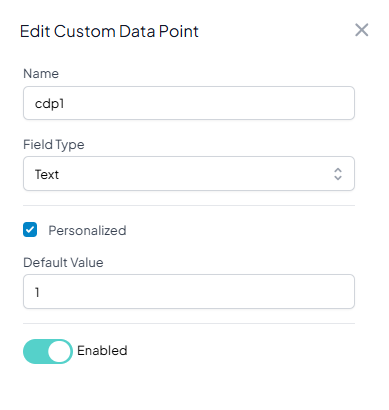
-
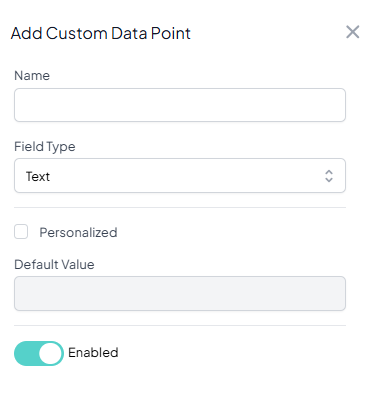
- Create new custom data points on the ‘Data Points’ page (Option 2):
- Navigate to the ‘Data Points’ page.
- Click the ‘Add Data Point’ button
- Fill out all of the fields and save.
- PLEASE NOTE: You must complete the steps above for your custom data points to (1) appear as options during campaign creation and (2) have their default values automatically populate any in place of any blank fields in your contact lists.
- Create new custom data points on the ‘Data Points’ page (Option 2):
Export Replies
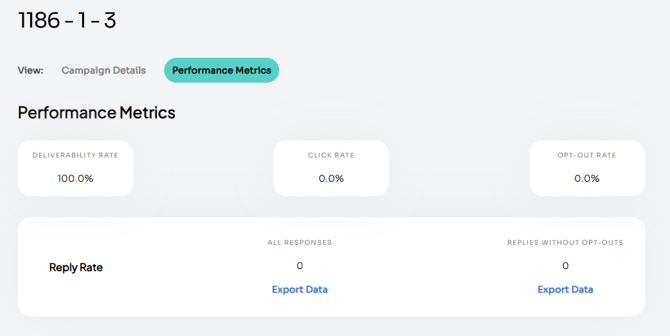
- Added the ability to export ‘Reply Rate’ on a campaign.
- Navigate to the campaign details page.
- Click on the ‘Performance Metrics’ tab.
- From here, you can export all replies or replies without opt-outs. The file will be emailed to you.
Calculate Campaign Volume
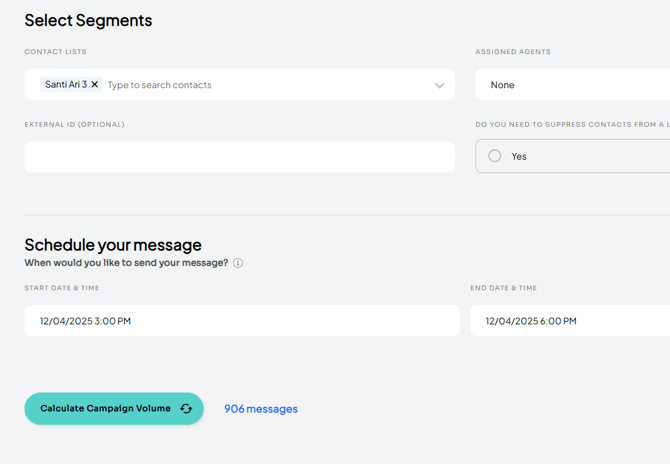
- Added the ability to calculate volume on a campaign based on selected contact lists and any suppressions.
Two-Page Campaign Create
- Implemented a two-page campaign flow.
- Message build out and preview now happens on page 2
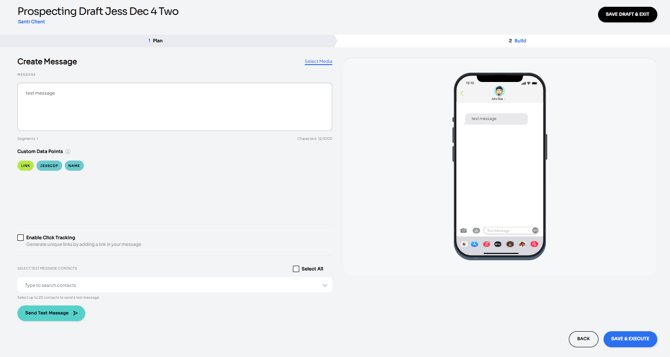
-
- Please note: you no longer need to select ‘Message Type’ on the plan page. During message creation, the system defaults to an SMS message. Simply upload a file to convert to an MMS message.